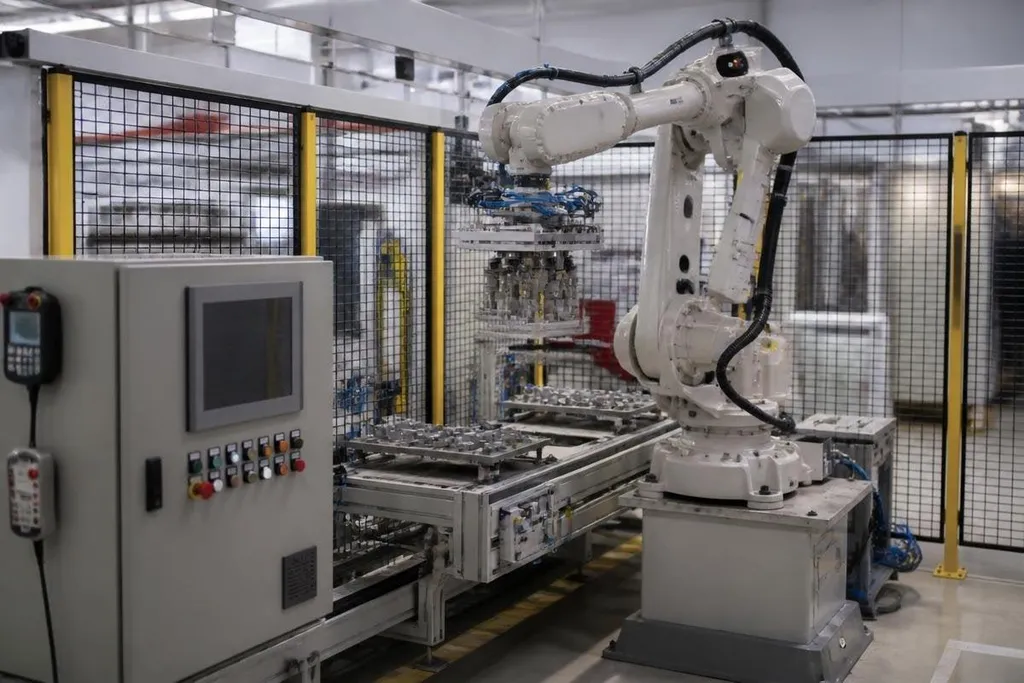
An industrial robot may be safe from a direct internet connection and still sit inside a network that ransomware can reach. The risk depends on the robot cell around it: the controller, engineering computer, human-machine interface, and factory network.
- Ransomware may stop production without changing the robot’s motion code.
- A locked engineering computer can block recovery and service work.
- Safe recovery starts with network separation, tested backups, and manual procedures.
Where the risk begins
An industrial robot usually works as part of a larger cell. Its controller runs the motion program, while a programmable logic controller handles nearby equipment such as conveyors, clamps, sensors, and safety signals.
A human-machine interface lets operators start jobs, view faults, and change approved settings. An engineering workstation may hold robot programs, backups, configuration files, and software used by service staff. Each connected system gives ransomware another possible route into the cell.
The robot itself may have no normal web access. That still leaves paths through a plant network, a remote service connection, a laptop, or a USB drive. A compromised workstation can also affect production by locking the files needed to change or restore the cell.
That distinction matters. A ransom event may stop a line without taking control of the robot’s arm or changing its safety limits.
What a shutdown could look like
The first sign could be a locked operator screen or missing files on an engineering computer. Production may stop because staff can’t load a job, reset a fault, or send a new program to the controller.
A cell can also stop when connected equipment loses its control settings. A robot may still have power and show no hardware fault, yet the conveyor, gripper, or safety circuit may prevent the task from starting.
The damage depends on the cell’s design and the attacker’s access. A single isolated workstation may affect one line. Access to shared plant systems may reach several cells, though that path and its results must be checked in each case.
A plant engineer assessing ransomware risk needs the affected robot, control system, and access route named. Robot24.com security reporting can tie those details to a dated incident before the next section explains why recovery takes care.
Why robot recovery takes care
Restoring a robot involves more than removing malicious software. Engineers need to check the controller, PLC, HMI, network switches, safety devices, and production files before the cell runs again.
A clean backup can restore a program, but it may not restore the latest tool position, calibration data, or device settings. Those files can decide whether the robot places a part in the right spot or stops with a fault.
Safety checks also matter after any change to control software or network equipment. A team may need to confirm emergency stops, guard switches, speed limits, and communication between the robot and nearby machines.
I’d treat a robot cell with a flat factory network as a serious recovery problem, even when the robot controller itself is offline from the public internet.
What remains unproven
The supplied material contains no named incident, ransom demand, company report, or measured attack count. That means no claim about how often ransomware has stopped industrial robots belongs here.
The technical risk is still clear enough to plan for. Ransomware can lock the computers and files that operators need, while the effect on robot motion depends on the attacker’s access and the cell’s design.
A public claim that “a robot was hacked” needs more detail. Did the attacker change motion code, stop a PLC, lock an HMI, or block a maintenance laptop? Those events have different causes and require different fixes.
A recovery checklist for robot cells
Use this list when reviewing one production cell:
- Map every connection: record links between the controller, PLC, HMI, engineering workstation, remote access system, and plant network.
- Keep offline backups: store robot programs, PLC files, HMI projects, calibration data, and device settings where ransomware can’t reach them.
- Test a full restore: recover a spare controller or test cell and confirm that the robot can run a safe sample job.
- Limit service access: give remote vendors named accounts, time-limited access, and a recorded approval before connection.
- Write the manual plan: decide how operators will stop equipment, protect parts, and keep people safe during a network outage.
The open question for each factory is simple: how much of one robot cell can staff restore without the plant network? A timed recovery test will answer it better than a security label.